Product updates

A little better.
With every release.

See what is new in Quran Caption on desktop and mobile. Find improvements, fixes, and the details behind each release.

Page 10 10 releases

Quran Caption

Quran Caption QC-3.4.82

QC-3.4.82

GitHub

πŸš€ Quran Caption v3.4.82 β€” Rendering & Transition Fixes

This update focuses on improving subtitle rendering consistency and fixing visual issues during transitions.


🎬 Rendering Fixes

  • Fixed an issue where the last word of a subtitle or the verse number
    could be pushed to a new line unexpectedly

  • ⚠️ Note:
    In very rare cases, when combining:

    • bracket styles
    • max-height constraints
    • WBW styling

    β†’ the verse number may still shift slightly
    β†’ this is due to a limitation in an external library and is outside current control


🎨 Transition Improvements

  • Fixed an issue where static elements (fixed overlays)
    had an opacity lower than expected during transitions

  • Fixed a bug where text could briefly appear between transitions


🎯 Summary

This update improves visual stability, ensuring cleaner subtitle layout and smoother transitions in exported videos.
Quran Caption

Quran Caption QC-3.4.81

QC-3.4.81

GitHub

πŸš€ Quran Caption v3.4.81 β€” WBW Enhancements & Workflow Improvements

This update improves the Word-by-Word (WBW) experience, adds new visual styles, and enhances subtitle review tools.


✨ Word-by-Word (WBW) Improvements

  • Improved WBW editing flow:
    β†’ finishing WBW editing now exits both WBW mode and subtitle edit mode
    β†’ smoother and more intuitive workflow

  • Added progressive WBW appearance style
    β†’ words now appear progressively as they are being recited
    β†’ similar to β€œTarteel-style” reading experience


🧠 Subtitle Review Tools

  • Added β€œmark subtitles with missing WBW timestamps” option
    β†’ subtitles without WBW timing are highlighted in light blue in the timeline
    β†’ works similarly to β€œmark long subtitles”

🎨 Styling Fixes

  • Fixed WBW styling on merged subtitles
    β†’ WBW styles are now correctly applied even when multiple subtitles are merged
Quran Caption

Quran Caption QC-3.4.80

QC-3.4.80

GitHub

πŸš€ Quran Caption v3.4.80 β€” Word-by-Word Highlighting & Editor

This update introduces a complete Word-by-Word (WBW) highlighting system, along with a dedicated editor for precise control.


✨ New Feature β€” Word-by-Word Highlighting

You can now visually highlight words as they are being recited.

Available styling options:

  • WBW text color
  • Optional underline
    β†’ with adjustable thickness
  • Optional background color
  • Toggle to enable/disable WBW background and customize color

Highlight behavior:

  • Persist highlighted words option:
    • Enabled β†’ previously recited words remain highlighted
    • Disabled β†’ only the current word is highlighted

β†’ This allows different visual styles depending on your use case
(e.g. progressive reading vs focus on current word)


✍️ New Feature β€” Full WBW Editor

A new Word-by-Word editor is now available for fine control over highlighting.

  • Edit WBW timing with an intuitive workflow
  • Adjust custom playback speed for precise editing
  • Integrated tutorial video to guide usage

Quick access:

  • Long press E while hovering a subtitle with the timeline cursor
    β†’ instantly enter WBW edit mode

🎯 Summary

This update gives you full control over how words are highlighted and timed, making your videos more immersive and easier to follow.

Quran Caption

Quran Caption QC-3.4.74

QC-3.4.74

GitHub

πŸš€ Quran Caption v3.4.74 β€” Faster Export & Timeline Controls

This update improves export performance, fixes audio sync issues, and enhances timeline usability.


🎬 Export Improvements

  • Improved export speed:
    β†’ the frame capture step is now up to 2Γ— faster

  • Fixed an issue where audio could go out of sync with the background video over time in exported videos


⏱️ Timeline Improvements

  • Added ruler zoom controls in the timeline
    β†’ two zoom icons allow you to easily zoom in/out for better precision

🧠 Hifz & Shortcuts

  • Added Hifz shortcut visibility in General Settings
    β†’ makes the feature easier to discover and access

πŸ› Bug Fixes

  • Various fixes improving export reliability and timeline interaction
Quran Caption

Quran Caption QC-3.4.73

QC-3.4.73

GitHub

πŸš€ Quran Caption v3.4.73 β€” Hifz Tool & Repetition Workflow

This update introduces a powerful new Hifz tool for repetition-based videos, along with timeline fixes and workflow improvements.


🧠 Major Feature β€” Hifz Tool (Memorization Mode) (ft. @Himmy504)

A new Hifz tool is now available in the software (accessible from the title bar alongside other tools).

It allows you to generate videos designed for Quran memorization and repetition.

What you can do:

  • Repeat subtitles / verses N times automatically
  • Add a custom pause duration between repetitions
  • Keep audio perfectly aligned across repetitions (including multiple generations)

πŸ‘‰ This makes it possible to easily create:

  • memorization videos (hifz)
  • repetition-based learning content
  • recitation practice videos

⏱️ Timeline Improvements

  • Fixed horizontal scrolling on touchpad
    β†’ horizontal scroll is now properly preserved

πŸ› Bug Fixes

  • Attempted fix for a macOS issue where typing in input fields was not possible
Quran Caption

Quran Caption QC-3.4.72

QC-3.4.72

GitHub

πŸš€ Quran Caption v3.4.72 β€” Export Reliability & Workflow Enhancements

This update focuses on improving export reliability, subtitle layout accuracy, and giving more control over shortcuts and timeline editing.


🎬 Export Improvements

  • Improved export reliability by waiting for subtitle layout to fully stabilize before frame capture
    β†’ helps prevent issues where subtitles could overflow due to max-height or anti-collision not being applied in time

  • Fixed an issue with transparent background exports
    β†’ subtitle transitions now fade correctly to transparent instead of black

  • Added RAM usage guidance for batch size directly in the UI
    β†’ helps users choose the right value based on their hardware


✍️ Subtitle & Translation Improvements

  • Improved translation styling UX:

    • Added a visual banner indicator when editing word-level styles in the Translations tab
  • Fixed a bug where extra spaces after em-dashes were not removed when merging subtitles


⏱️ Timeline & Shortcuts

  • Added fully customizable timeline shortcuts
    β†’ you can now define your own key bindings in Settings

  • Improved shifting tool:

    • You can now shift only clips at or after a given timestamp (@idrees-mahmood)

πŸ› Bug Fixes

  • Various fixes improving subtitle rendering consistency and export accuracy
Quran Caption

Quran Caption QC-3.4.71

QC-3.4.71

GitHub

πŸš€ Quran Caption v3.4.71 β€” Subtitle Merging & Timeline Improvements

This update introduces a major new feature for subtitle merging, along with timeline usability improvements and important fixes.


✨ Major Feature β€” Subtitle Merging

image
  • Added subtitle merge functionality with quick controls in the timeline

    β†’ You can now merge multiple subtitle clips into one
    β†’ Enables displaying:

    • multiple verses at the same time
    • multiple parts of a verse
    • or any custom combination
  • Flexible merge modes:

    • Merge Arabic only
      β†’ Arabic stays static across merged segments
      β†’ Translations update progressively with the recitation

    • Merge Translation only
      β†’ Translation stays static
      β†’ Arabic updates normally across segments

    • Merge both Arabic and Translation
      β†’ Fully combines subtitles and translations into a single block

  • Includes a context menu mode and improved selection handling
    β†’ merged subtitles are now easier to manage and edit


⏱️ Timeline & Shortcuts Improvements

  • Added a timeline hint panel showing all available shortcuts
    β†’ can be closed manually

  • Added timeline shortcuts to the Settings β†’ Shortcuts tab

  • New shortcut:

    • Ctrl + Shift + Scroll β†’ horizontal scroll in timeline

πŸ“¦ Assets & Media

  • Added a warning when a media file is not in constant bitrate (CBR)
    β†’ helps prevent issues when syncing subtitles

🌐 YouTube & Import Fixes

  • Fixed an issue where downloading a video could download the entire playlist instead

  • Imported projects now have their updatedAt set to current time

  • Fixed homepage behavior:

    • changing a project status no longer modifies updatedAt

πŸ› Bug Fixes

  • Various fixes and improvements for timeline behavior and project consistency
Quran Caption

Quran Caption QC-3.4.64

QC-3.4.64

GitHub

πŸš€ Quran Caption v3.4.64 β€” Smarter Segmentation & Editing Improvements

This update improves AI segmentation accuracy, macOS rendering, and introduces powerful new tools for subtitle editing and review.


πŸ€– AI Segmentation Improvements

  • Cloud segmentation now returns maximum one verse per segment
    β†’ improves consistency and readability

  • Behavior depends on WBW (word-by-word) mode:

    • WBW enabled β†’ accurate verse splitting
    • WBW disabled β†’ approximate split based on word count
      β†’ segments are automatically marked as β€œneeds review”
  • Latest AI segmentation changelog is now hidden by default
    β†’ can be expanded manually if needed


🍎 macOS Rendering Improvements

  • Improved macOS export rendering (thanks to @nawzadamiri)
    β†’ exported videos now match the preview much more closely

✍️ Subtitle Editing & Workflow

  • New right-click context menu on words in subtitle edit mode
    β†’ instantly split a subtitle at a specific word

  • Added tools to detect long subtitles:

    • highlight subtitles with more than N words
  • Added automatic split options:

    • split subtitles above N words
    • split subtitles longer than N seconds
  • Improved review workflow:

    • subtitles marked as needing review keep their color indicator (more subtle after review)
    • simply hovering a subtitle marks it as reviewed

🎨 Styling Improvements

  • Added horizontal padding style for subtitle background
  • Fixed an issue where text outline and background opacity styles could not be combined
  • Added back the β€œReset Styles” button in the Style Editor tab

🌐 Quran.com Integration Enhancements

  • Software theme is now synchronized with your Quran.com account theme

  • Added Quran.com API tab in the translation modal
    β†’ access and use Quran.com translations directly


πŸ“¦ Project & Downloads Improvements

  • Improved YouTube downloads performance
    β†’ added progress reporting during download

  • Added duplicate project option
    β†’ quickly reuse an existing project as a base


πŸ› Bug Fixes

  • Fixed segmentation UI issue where estimated progress started too early
    β†’ now starts correctly after confirming overwrite of existing subtitles
Quran Caption

Quran Caption QC-3.4.52

QC-3.4.52

GitHub

πŸš€ Quran Caption v3.4.52 β€” Major Export Rewrite, Styling & Workflow Improvements

This update brings a major rewrite of the export pipeline, along with many improvements to styling, subtitle editing, project organization, and overall usability.


πŸ”₯ Major Highlight β€” Export Rewrite

The export script has been fully reworked.

What changed

  • Export no longer consumes all the RAM of the PC

  • New batch size system to control memory usage:

    • higher batch size = more RAM usage
    • lower batch size = less RAM usage
  • Export is now faster, more stable, and much more efficient

This is one of the biggest export improvements made so far.


🎬 Export Improvements

  • Added export without background in advanced export settings
    β†’ useful if you want to edit the video background later in another editing software
    β†’ also supports semi-transparent backgrounds

  • Added timed visibility for Surah Name / Reciter Name global overlays
    β†’ you can now choose when they appear and disappear
    β†’ useful for videos with an intro

  • Fixed subtitle fade transitions darkening between transitions

  • Increased audio bitrate during export to reduce quality loss

  • Fixed a bug where subtitle layout from a stale render could restore opacity too early before max-height / anti-collision was complete
    β†’ this could sometimes cause temporary overlap on an exported frame

  • Fixed a bug where adding a custom text shortcut could create an invalid clip
    β†’ custom text now always creates a minimum 3-second clip at subtitle end boundary

  • Fixed a macOS issue where non-system fonts were not rendered in exported videos
    β†’ thanks to brother @nawzadamiri

  • Fixed a problem where the Surah name could briefly change during subtitle transitions in exported video when using a custom text


🎨 Styling & Visual Improvements

  • Added a new style for custom text: width is now customizable
    β†’ useful to force line breaks more easily

  • Added style presets directly inside the software
    β†’ you can now save and reuse presets without manually importing/exporting JSON files

  • Added a toggleable alignment grid in the preview
    β†’ the grid can also appear automatically while dragging elements
    β†’ makes centering much easier

  • Changed the default value of β€œabove overlay” for custom images to true

  • Tajweed mushaf type is now forced to render in black
    β†’ other colors are not properly supported by the exporter for this mushaf type
    β†’ if you use it, you should place a fully white background behind the Arabic text


🌍 Translation & Arabic Styling

  • Added a Reset All Styles button for:

    • translations
    • Arabic text
  • Added per-word color styling for translation words

  • Added the ability to bold, italicize, underline, or color individual Arabic words in verses
    β†’ available from the Translations tab, inside the style section

  • Optimized the AI prompt used for translation styling

  • Fixed a bug where translation styles could reset by themselves

  • Fixed a regression where a space was added after every em-dash in translations on the video

  • Fixed an issue where changing predefined subtitle translation text could throw an error


✍️ Subtitle Editor & Workflow Improvements

  • Changed word selection behavior in the Subtitles tab:

    • clicking an already-selected word now keeps the start cursor
    • only the end of the selection changes
    • clicking the current end word resets the start cursor to the end cursor
  • Added the ability to drag the mouse over Arabic words in the Subtitles tab for easier selection

  • Added ArrowUp / ArrowDown subtitle navigation in:

    • Video
    • Style
    • Export
      β†’ same behavior as previous/next navigation in the video playbar
  • Fixed a bug where silence subtitles could not be edited as Quran

  • Fixed an odd audio playback error when moving the cursor in the timeline


πŸ–₯️ UI & Small Screen Improvements

  • Added a scrollbar to the left panel in Subtitles Editor for small screens

  • Added an openable drawer in the Translations tab
    β†’ small-screen users can now access the Arabic and translation style panels more easily

  • Fixed a problem in the reciter rename modal where the icon did not load

  • Translated player errors into English and added a guard to prevent them from being spammed


πŸ—‚οΈ Project Organization

  • Added a project explorer tree on the home page with folders by:

    • reciter
    • type
    • year
  • Added drag-and-drop project organization


πŸ’¬ Support & Community

  • Replaced the weekly support prompt with a contextual post-export donation panel
  • Added support tracking tied to that new panel
Quran Caption

Quran Caption QC-3.4.30

QC-3.4.30

GitHub

πŸš€ Quran Caption v3.4.30 β€” Arabic Styles & Media Effects

This update introduces new Arabic text styles, media effects, and improvements to stability and telemetry.


✨ New Features

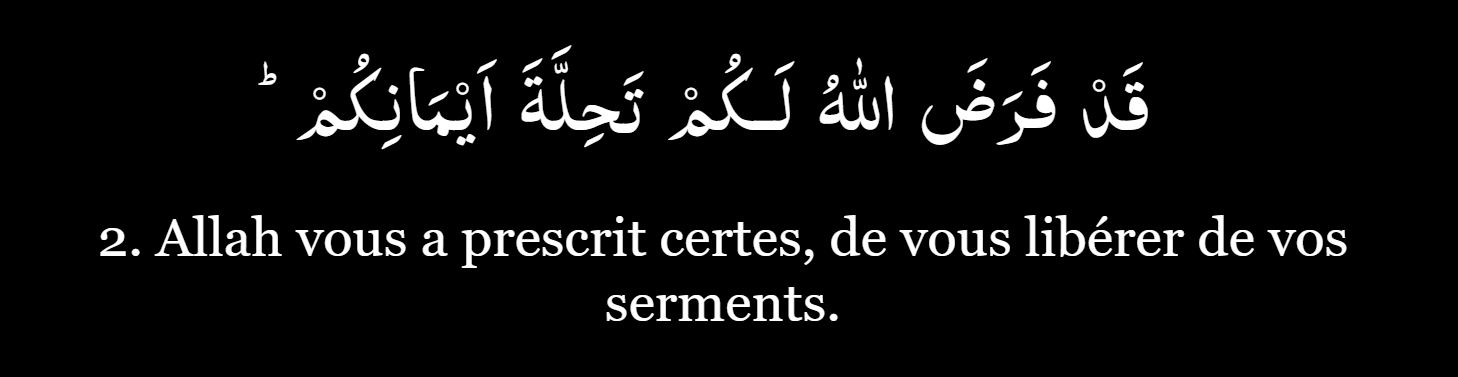
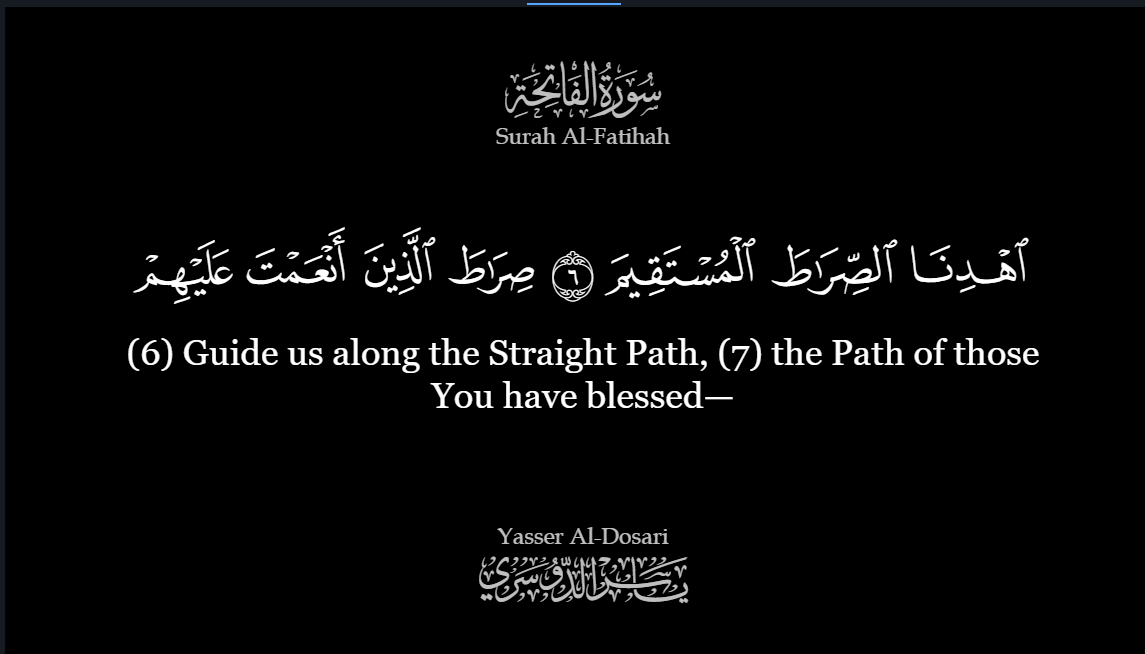
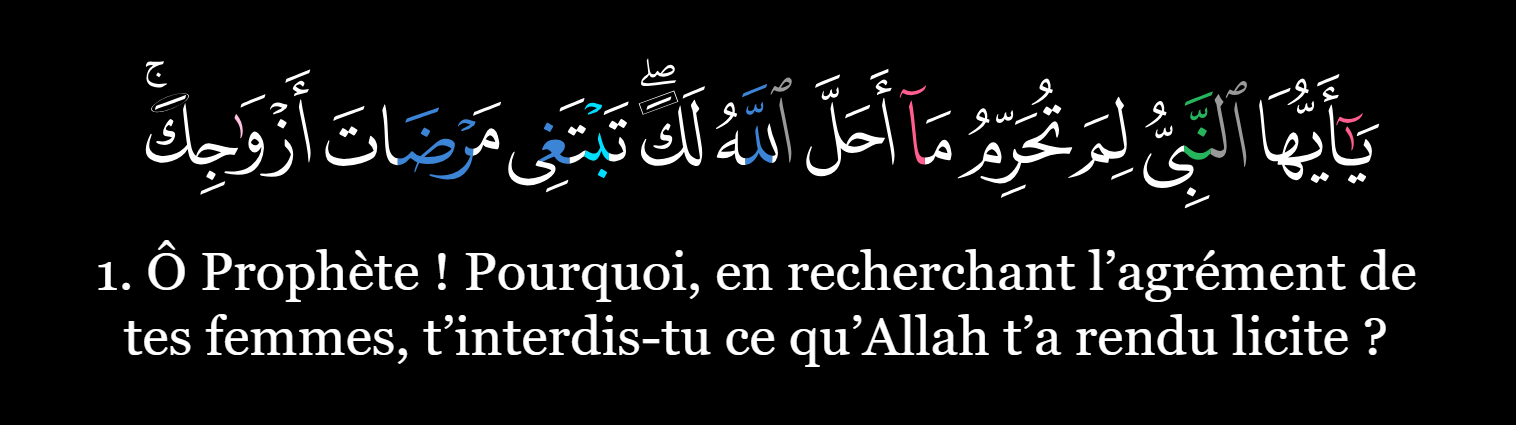
  • Added a new Arabic general style: Mushaf Type
    β†’ Choose between:

    • Uthmani
    • IndoPak
    • Tajweed
image image
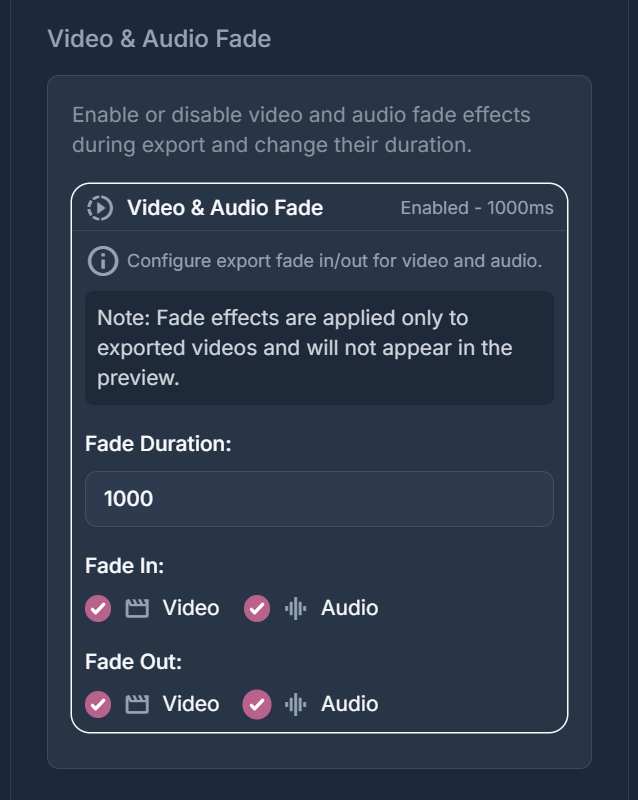
  • Added video & audio fade effects 🎬
    β†’ Includes configurable fade duration for smoother transitions
image

πŸ› οΈ Improvements

  • Improved telemetry system for better insights and future enhancements

πŸ› Bug Fixes

  • Fixed an issue where video export could get stuck on macOS (@Himmy504 fix)