
🎉 Welcome to Quran Caption! This completely rewritten version offers a modern interface, powerful styling tools, and enhanced workflow for creating professional Quranic videos.
Creating Your First Project
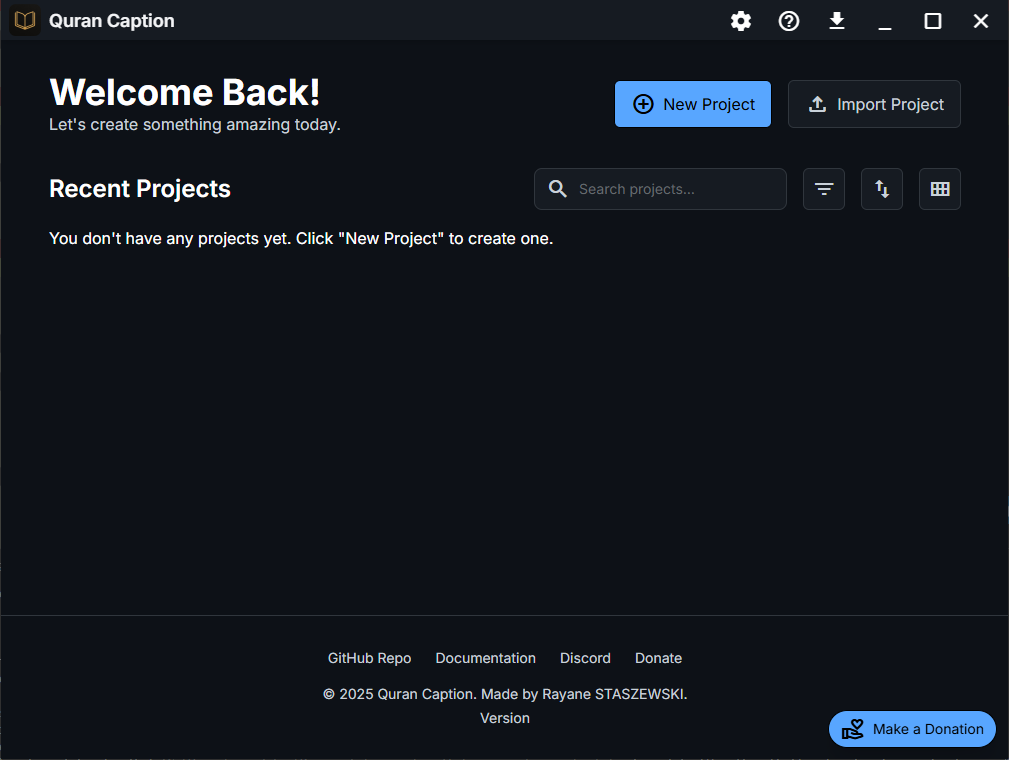
When you first launch Quran Caption, you'll see the Home Screen with your project dashboard. To create a new project, click the Create New Project button.
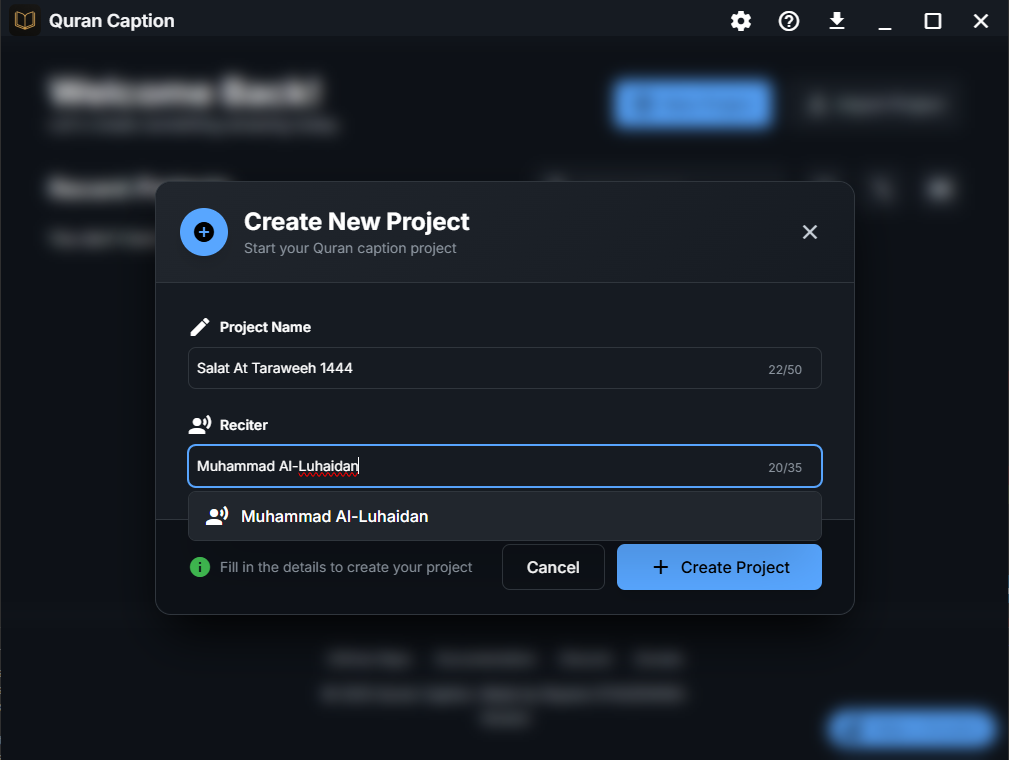
In the project creation dialog, you'll need to provide:
- 📝 Project Name: A descriptive name for your video project
- 👤 Reciter Name: The name of the reciter (with smart auto-completion)
💡 Pro Tip
Use descriptive project names like "Salat At Taraweeh 1444" to easily identify your projects later. The reciter name supports auto-completion based on popular reciters.
Understanding the Interface
Once your project is created, you'll enter the Project Editor with its modern, tabbed interface. The main areas include:
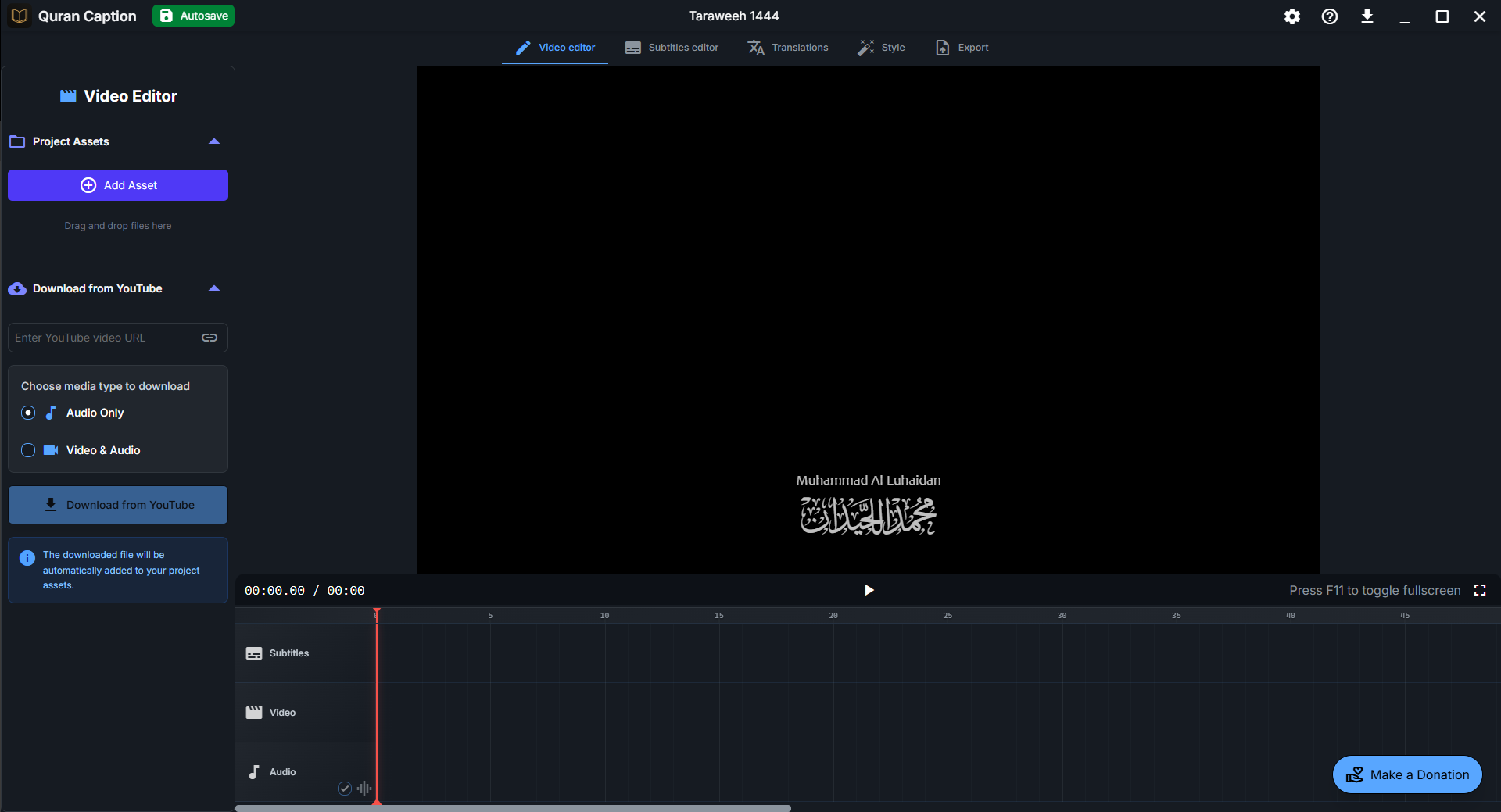
🎬 Video Editor Tab
Import and manage your audio/video files, arrange them on the timeline, and preview your content.
📝 Subtitles Editor Tab
Create Arabic subtitles by selecting Quranic words, add predefined text (Basmala, Istiadhah), and manage timing.
🌍 Translations Tab
Add translations in multiple languages, review and edit translation text, and manage translation editions.
🎨 Style Editor Tab
Customize fonts, colors, positions, and effects for Arabic text, translations, and global elements with precision.
🎞️ Export Tab
Configure export settings, choose quality and format options, and render your final video.
Project Auto-Save & Management
Quran Caption features automatic saving every 5 seconds, so you never lose your work. Your projects are stored locally and can be easily managed from the home screen.
Project Information Display:
- 📊 Progress tracking: See completion percentage for subtitles and translations review
- 📅 Last modified: Automatic timestamps for project updates
- 🎯 Verse range: Automatically detected based on your subtitles
- ⏱️ Duration: Total project duration based on audio content
- 🏷️ Status labels: Mark projects as In Progress, Completed, etc.
Quick Workflow Overview
Here's the typical workflow for creating a Quranic video in Quran Caption:
Import Audio/Video
Add your recitation files to the project
Create Subtitles
Select Quranic words and sync with audio timing
Add Translations
Include translations in your preferred languages
Customize Styles
Fine-tune your subtitle styles and video appearance.
Export Video
Render your final professional video
🚀 Ready to Start?
Now that you understand the basics, let's move on to importing your first audio or video file. Head to the Managing Assets section to learn how to add media to your project.